
Rope Hero for PC

Download & Play on Windows

Yes, you can play Rope Hero on a PC. There are two main options. Use Google Play Games on PC for the official game, or use an Android emulator if you want to run the Rope Hero MOD APK on your computer.
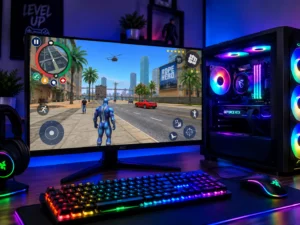
Which Method Should You Pick?

FeatureGoogle Play Games on PCAndroid Emulator + MOD APK
Game versionOfficialMOD (money, gems, God Mode)
SourceGoogle PlayMOD APK + emulator
Minimum RAM8 GB4 GB or more suggested
Storage10 GB on an SSDEmulator plus 162.1 MB file
Best forOfficial and straightforward playExtra MOD features

Method 1: Google Play Games on PC (Official)

Google Play Games on PC allows supported Android games to run on Windows. This method installs the official version of Rope Hero: Vice Town from Google Play, not a MOD APK.

Google's Minimum PC Requirements

For the latest requirements, check Google's official Google Play Games information before installing.

Install Steps

   1: Download Google Play Games on PC from Google’s official website.

   2: Run the installer as administrator.

   3: Allow any required Windows components if prompted.

   4: Sign in with your Google account.

   5: Search for Rope Hero: Vice Town.

   6: Select Install and wait for the game to finish downloading.

   7: Launch the game from Google Play Games.

Availability can depend on your Google Play country and whether the game is supported on your PC.

Method 2: Play the Rope Hero MOD APK With an Emulator

Google Play Games on PC is designed for games available through Google Play and is not intended as a general APK installer. If you want to run a MOD APK on Windows, you can use an Android emulator.
We are not affiliated with any emulator company. Always download an emulator from its official website.

Choose an emulator according to your PC's hardware rather than simply choosing a particular brand.

Which Emulator?

EmulatorGood ForNote
BlueStacksEasy setup and popular featuresCan use more RAM on some PCs
LDPlayerLower-end PCsLightweight option for many users
NoxPlayerKeyboard and control customizationMay require additional setup

Steps

   1: Turn on hardware virtualization in your PC’s BIOS or UEFI settings.

   2: Install an Android emulator from its official website.

   3: Create an Android 9 or newer instance because Rope Hero v7.2.8 requires Android 9.0 or higher.

   4: Give the emulator enough RAM and CPU resources for smooth gameplay.

   5: Download the Rope Hero Mod Apk (162.1 MB)

   6:Drag the APK file into the emulator or use its Install APK option.

   7: Wait for the installation to finish.

   8: Open Rope Hero and configure the keyboard and mouse controls.

Fix Common Problems

Virtualization is Off"

Restart your PC, open the BIOS or UEFI settings, and enable hardware virtualization. Depending on your processor, this may appear as Intel VT-x or AMD-V.

The Game Lags

Lower the graphics settings, close unnecessary applications, and make sure your PC has enough free RAM. Running the emulator from an SSD can also improve loading times.

"App Not Installed"

Make sure the emulator is running Android 9 or newer. Also check that the APK file downloaded completely and that enough storage is available.

Controls Feel Wrong

Open the emulator's keyboard mapping tool and configure the controls for movement, aiming, shooting, and rope swinging.

Rope Hero PC FAQ

Can Google Play Games on PC run the MOD APK?

No. Google Play Games on PC is designed for supported games from Google Play. To run a MOD APK, you generally need an Android emulator that supports APK installation.

Is Rope Hero free on PC?

The official game can be downloaded through supported Google Play Games on PC availability. The MOD APK version is provided as a modified game file and may have different features from the official version.

How much RAM do I need?

Google Play Games on PC requires at least 8 GB of RAM according to its published minimum requirements. For an emulator, we suggest having at least 4 GB of RAM available for the emulator, although actual requirements vary depending on your PC and emulator.

Is the emulator method safe?

Use an emulator downloaded from its developer’s official website. MOD APK files are modified software and can carry additional risks. Download and install files only when you understand and accept those risks. You can also read our Disclaimer before downloading.