
Yes, you can play Rope Hero on a PC. There are two main options. Use Google Play Games on PC for the official game, or use an Android emulator if you want to run the Rope Hero MOD APK on your computer.
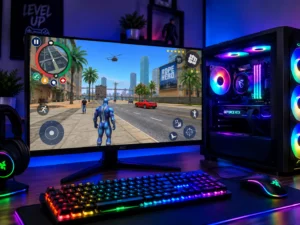
Google Play Games on PC allows supported Android games to run on Windows. This method installs the official version of Rope Hero: Vice Town from Google Play, not a MOD APK.
For the latest requirements, check Google's official Google Play Games information before installing.
Availability can depend on your Google Play country and whether the game is supported on your PC.
Google Play Games on PC is designed for games available through Google Play and is not intended as a general APK installer. If you want to run a MOD APK on Windows, you can use an Android emulator.
We are not affiliated with any emulator company. Always download an emulator from its official website.
Choose an emulator according to your PC's hardware rather than simply choosing a particular brand.
Restart your PC, open the BIOS or UEFI settings, and enable hardware virtualization. Depending on your processor, this may appear as Intel VT-x or AMD-V.
Lower the graphics settings, close unnecessary applications, and make sure your PC has enough free RAM. Running the emulator from an SSD can also improve loading times.
Make sure the emulator is running Android 9 or newer. Also check that the APK file downloaded completely and that enough storage is available.
Open the emulator's keyboard mapping tool and configure the controls for movement, aiming, shooting, and rope swinging.